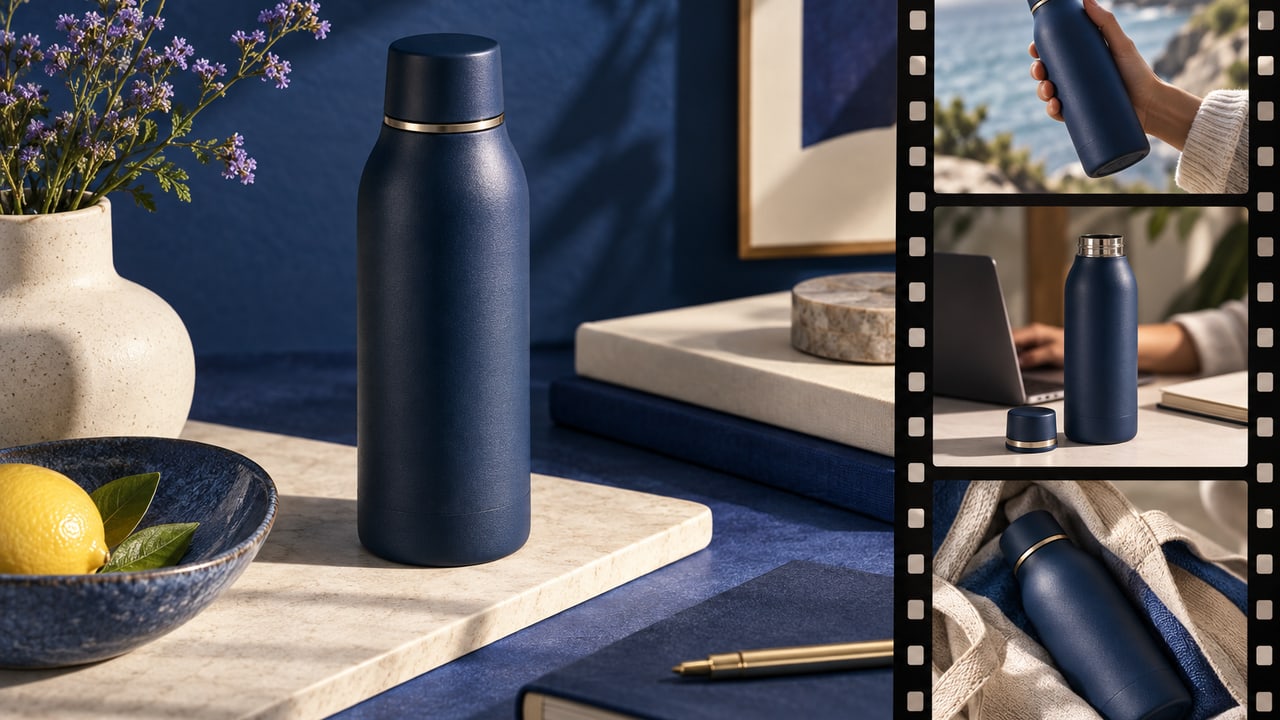

AI product photography for ads starts with a real product reference and a clear visual job. In ToMarket's Ad Studio, GPT Image 2.5 is part of the image-creation workflow, helping you explore product scenes that you can review before choosing what to use.
The useful question is not whether a generated image looks expensive. It is whether the image makes your actual product easier to understand without changing what the customer will receive.
Start with a reference that tells the truth
A clear product image gives the creative workflow something concrete to preserve. The reference should show the relevant shape, packaging, and label rather than hide them behind heavy filters or an unclear angle.
If several details matter, provide the approved references that show them. A beauty bottle's cap, a shoe's sole, or a device's ports can be important to product recognition. Do not ask the model to guess a hidden detail and then treat the guess as a product photograph.
The same principle applies to scale. A scene can make a small object appear much larger than it is. Review the relationship between the product and surrounding objects, especially when that relationship affects a buying decision.
Decide what the scene needs to communicate
A studio product image can emphasize material and shape. A use-context scene can show where the product belongs. A close detail can make a construction feature easier to see. Those are different jobs, and naming one helps the creative direction stay focused.
For a fictional coffee brand, a bag beside a morning cup communicates a routine. A dramatic shower of beans may communicate energy but reveal little about the offer. Neither scene wins by definition. The choice depends on what the viewer needs to understand.
Describe lighting, setting, and composition in ordinary terms. "Warm window light on pale stone, with the label fully visible" is a usable direction. A pile of adjectives such as premium, cinematic, luxurious, and viral often leaves the actual composition unclear.
Keep the product central when the scene gets ambitious
Generated environments make it easy to surround a product with more visual material than the message needs. A beautiful scene can bury the item you are trying to sell.
Look at the image at the size of a feed card. Can you identify the product quickly? Is the label or defining detail visible? Does the background support the offer, or does it demand more attention than the product?
If the composition needs a correction, use a targeted edit. The guide to AI ad creative generators explains why a polished file alone is not the end of the advertising workflow.
Review fidelity after every generation
Treat the reference as the source of truth. Compare packaging, text, proportions, and visible features. Generated details can be plausible while still being wrong.
Do not add unverified seals, awards, certifications, or performance claims to make the shot feel more commercial. Those are business facts, not decoration. Where text matters, read it carefully rather than assuming it survived the render.
A final review also considers the destination offer. The product shown in the ad should be the product the viewer finds after clicking.
From image exploration to an ad you can run
ToMarket keeps image work in the same creative workspace as the rest of your advertising. That makes it easier to move a selected asset toward a campaign without treating generation as a separate collection of downloads.
The GPT Image 2.5 update introduces the feature. The practical advantage is the workflow around it: a brief, product references, visual review, and a choice about which result to use.
Open Ad Studio with an approved product reference and one clear scene direction. Judge the output against the product and the offer, not against how impressive it looks in isolation.